

A few months ago, I was organizing a meetup in Pune. I sent the event address to over 50 people. Guess what? Nearly half of them still texted, “Send location please!” 😅
That’s when I realized I needed a faster, smarter way to share addresses — and that’s when I discovered how to generate QR code for location using a free online tool.
Since then, I’ve been using QR codes for cafes, studio locations, and even friend reunions. They just work.
In this blog, I’ll show you 5 easy and smart ways to generate QR code for location free, how to use them to save time, and how to make life easier for your customers or friends.

1. Why You Should Use Location QR Codes in 2025
Let’s start with a quick fact.
According to a 2024 survey by Oberlo, over 76% of smartphone users scan a QR code at least once a week — mostly for payments, menus, and yes, location sharing.
Why not make it easier for people to reach you with one scan?
QR codes for location are super handy when you:
Run a salon or gym
Invite guests to a wedding or housewarming
Deliver goods to customers
Guide people to your exhibition booth
Instead of sending lengthy Google Maps links or voice notes, a simple scan for location map QR code does the job instantly.
2. Best Way to Generate QR Code for Location Free (No Login)
The fastest way I’ve found (and trust regularly) is this tool right here:
👉 Small Tool Hub – Generate Qr Code For Location
It’s:
Free to use
Instant, no sign-up
Mobile-friendly
Generates clean, scannable codes
This tool lets you generate qr code for location online in under 10 seconds. I’ve personally used it to share my office pin location with clients — zero confusion, and it saved me at least 30 minutes of texting.
3. How to generate QR Code for Location – Step-by-Step
Let’s walk you through it. Suppose you run a design studio in South Delhi.
Here’s what to do:
Open Google Maps on your phone or laptop
Search your business or venue location
Tap Share → copy the URL
Go to Small Tool Hub’s QR tool
Paste the link
Hit “Generate QR Code”
Download PNG or SVG file
That’s it! You now have a working Google Map QR code ready to print or share.

4. Real-World Uses: From Cafes to Clients
Here’s how real people are using it:
☕ Small Cafes & Restaurants
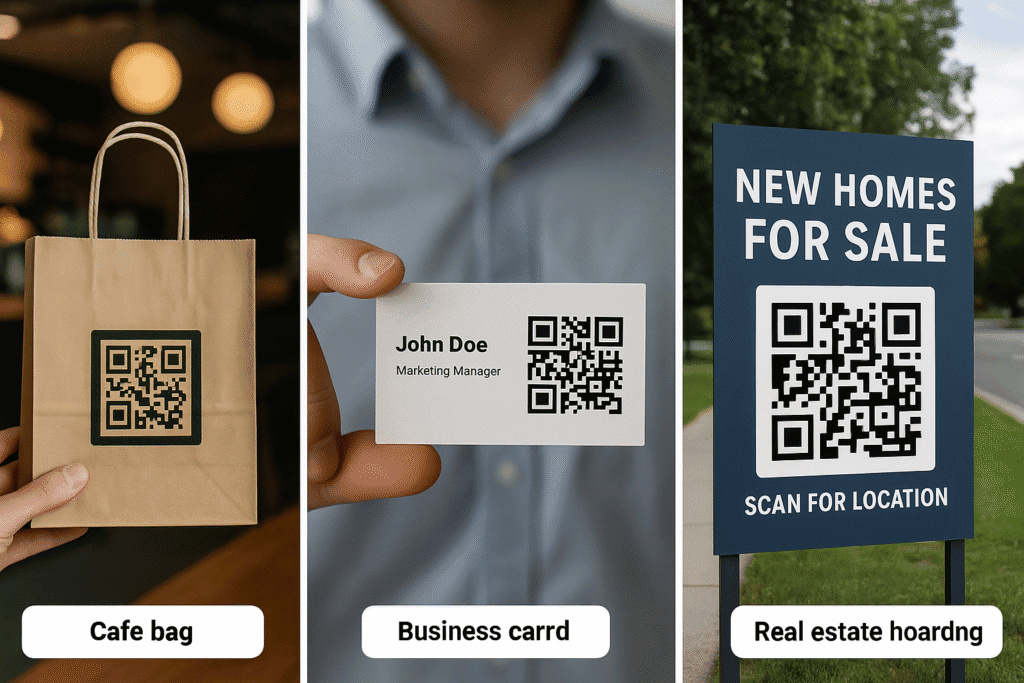
A cafe in Jaipur I visited had a neat “Scan for Location” QR printed on takeaway bags. New customers could easily find them again.
📸 Freelancers
I know a wedding photographer who adds his address QR code generator output to his visiting cards. His clients find his studio with a single scan.
🏢 Event Organizers
When I hosted a co-working mixer, I placed the QR on my Instagram Story highlight. Everyone got directions without asking me even once.
🏘️ Real Estate
Agents use QR codes on site banners to guide buyers straight to the property. It’s professional, and it saves time.
All of these are examples of how location QR codes are quietly boosting productivity and reach.
5. Creative Ways to Use Your Location QR Code
Once you’ve created the QR code, don’t just leave it on your phone.
Here’s where you can use it:
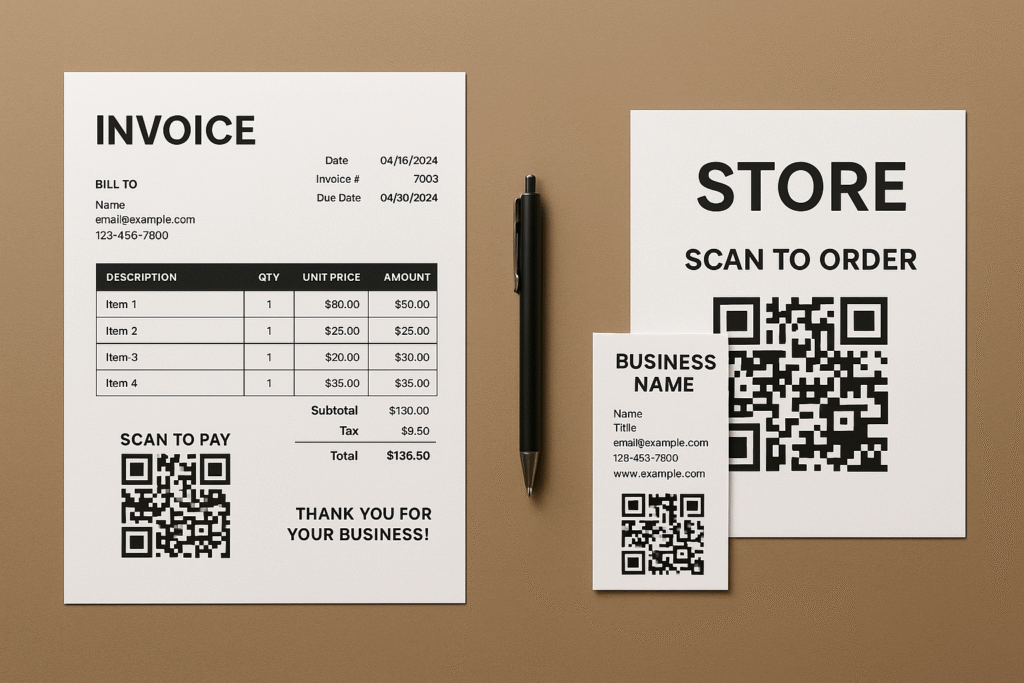
✔️ Business cards
✔️ WhatsApp auto-replies
✔️ Receipts and invoices
✔️ Storefront windows
✔️ Event invites
✔️ Brochures
✔️ Email signatures
You can even pair it with a simple CTA:
📍 “Scan to Get Directions”
Or
📲 “Location inside — Just Scan”
Now you’re not just sharing an address. You’re giving people a smoother experience.
What Makes This Different?
With Small Tool Hub, you’re not just getting another QR code maker. It’s tailored for location sharing, which many tools don’t optimize for.
And the best part? It works perfectly with Google Maps, so users can instantly scan for location map and get real-time navigation.
If you want to check it out, here’s the link again:
👉 Generate QR Code for Location Free
❓ Frequently Asked Questions (FAQ)
Q1. How do I create QR code for location free of charge?
You can use free online tools like the Small Tool Hub Google Map QR Code Generator. Paste your Google Maps link into the generator and get your QR code instantly.
Q2. Can I generate QR code for location online without downloading an app?
Absolutely! You do not need to download any software. Visit the free online tools using either mobile or desktop browser create your QR code and download it online.
Q3. Is the Google Map location QR code permanent?
Yes, your QR code will always work as long as the Google Maps link you used is active. This works well if you have a permanent business location.
Q4. How do I get a scannable QR code for my store or office address?
Simply paste the Google Maps location link of your store into an address QR code generator like Small Tool Hub. Print your newly made QR code on flyers, banners or store receipts.
Q5. Can people scan QR code for directions on any phone?
Yes! Most smartphones (both Android or iPhones) have location scanner online capabilities already loaded into their default camera app – no apps are required.
Q6. How do I make a QR code for my Google Map location on my phone?
Simply copy the location from your Google Maps app, go to the Small Tool Hub QR Generator, paste in the link and click generate.
Final Thoughts
Let’s be honest — people are tired of finding the right lane or guessing landmarks. If you’re running a business, hosting an event, or even meeting a friend, a simple QR code for location solves the problem before it begins.
You don’t need to hire a developer or buy a subscription. Just generate QR code for location online, paste the link, and share.
Whether you’re in retail, real estate, or running a weekend pop-up — this little trick could be your next productivity boost.
So next time someone says, “Where exactly is it?” — just smile and say, “Scan this.”
✅ Recap: Why Use Location QR Codes?
✅ Free and fast
✅ Works with Google Maps
✅ Easy to share on print or digital
✅ Saves time and confusion
✅ Looks professional

