

I’ll be honest — I never thought I’d need to convert a PDF to a QR code until one day I was late for a meeting and needed to share a 3-page PDF with a client on WhatsApp. The file was too big. Email would’ve taken too long. I quickly searched “how to convert PDF to QR code” — and boom, found a solution that took 10 seconds.
You’ve probably been there too. Whether it’s for resumes, product brochures, restaurant menus, or business reports, QR codes make sharing PDFs a breeze. In this blog, I’ll walk you through the best way to convert PDF to QR code online free, how it can boost your productivity, and introduce you to the only tool I personally use — the Small Tool Hub PDF to QR Code Generator.
Why Convert PDF to QR Code?
Let’s humanize this a bit. Think of these real-life examples:
A real estate agent prints QR codes for their property brochures — saving paper and keeping listings updated.
A restaurant owner shares a contactless menu via QR on each table.
A freelancer embeds their resume PDF QR on a business card.
The productivity boost? No printing delays, no file size issues, no awkward “I didn’t receive the PDF” replies.
Also, a QR code linked to a PDF URL can be edited later. That’s future-proofing!
Knowing how to convert PDF to QR code not only helps you simplify workflows, but it also future-proofs your distribution methods.
The Best Free Tool to Convert PDF to QR Code
✅ Small Tool Hub – PDF to QR Code Generator
Let me be very clear — this blog is not about dozens of tools. It’s about one tool that does the job right, every single time.
That tool is Small Tool Hub’s PDF to QR Code Generator. It’s:
- Free
- Ad-free
- Clean UI
- Super fast
- Doesn’t require login
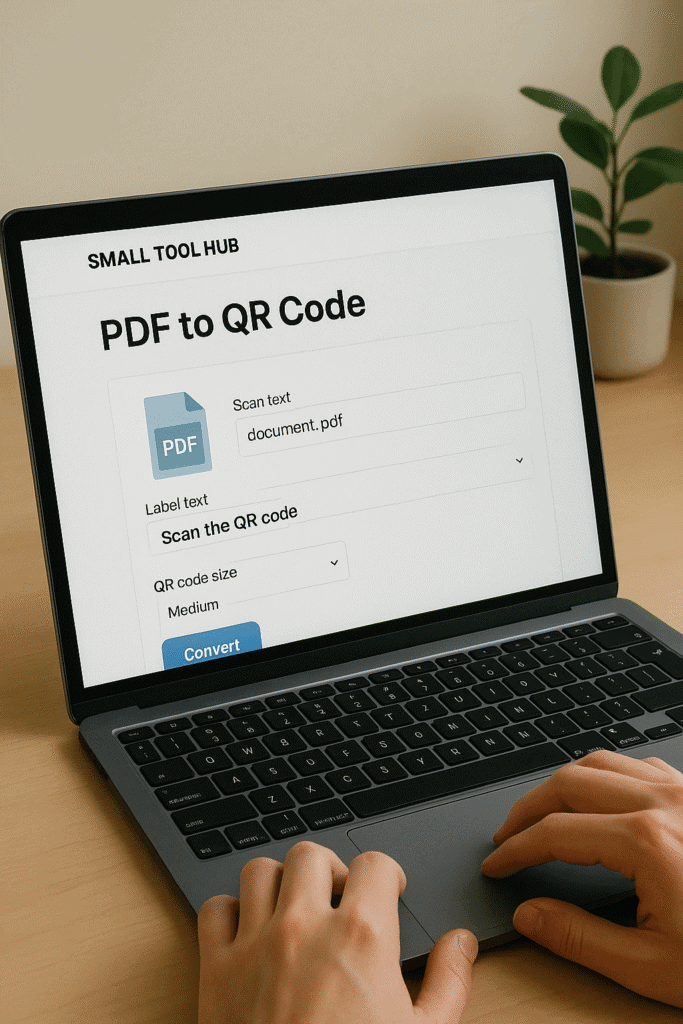
I use this to convert my service brochures, eBooks, and payment guides into QR codes. You just upload your PDF or paste your hosted link, and boom — you get a download-ready QR in under 10 seconds.
This isn’t just any QR generator. It’s built with a focus on user experience and simplicity. That’s why I trust it over any of the flashy alternatives.
If you’re wondering how to convert PDF to QR code without hassle — this is it.

7 Real-World Ways to Use PDF to QR Code
Here are practical ways you can use Small Tool Hub’s PDF to QR Generator:
Resume QR on Business Cards – Share your CV without printing copies.
Restaurant Menus – Touchless dining with dynamic menu updates.
Event Invitations or Tickets – Embed RSVP or ticket PDFs for quick access.
Product Manuals in Boxes – No need for bulky instruction booklets.
eBooks or Freebies for Email Campaigns – Great for lead magnets.
School/College Project Submissions – Share detailed PDF reports instantly.
Real Estate Brochures – Update property listings without reprinting flyers.
These ideas show how easy it is once you know how to convert PDF to QR code for real-world use.
Real-World Productivity Examples
Here’s a stat from Statista (2023): Over 6.8 million people in India scanned QR codes monthly — and that number keeps growing. Imagine the lost time emailing files to each one manually.
By converting PDFs to QR codes using Small Tool Hub, you:
Save time in printing and sharing
Ensure document access anytime
Create smart touchpoints on print material
Simplify onboarding, instructions, and promotions

Real Talk 💬
I use it almost daily — onboarding docs, invoices, client contracts. Even my Google Maps location QR is on my visiting card (thanks to their Google Map QR Code Generator).
If you’re still asking how to convert PDF to QR code, the best answer is: through experience. And this tool delivers every time.
Step-by-Step: Convert the PDF URL Address to a QR Code for Free
Let’s say you have a PDF brochure hosted online (e.g., on Google Drive or Dropbox). Here’s what to do:
- Copy the PDF URL
- Open Small Tool Hub PDF QR Tool
- Paste the link into the form
- Click “Generate QR”
- Download the QR image
You can now paste this QR on:
- Posters
- Presentations
- Product packaging
This is the simplest way if you’re looking for how to convert pdf to qr code using a link.
Is It Secure to Convert PDFs to QR Codes?
Yes — as long as your source PDF is safe. Just avoid uploading sensitive data on unknown websites. Tools like Small Tool Hub give you full control.
Pro Tip: Use Bitly or TinyURL to shorten long URLs before embedding — especially for offline use.
Why Small Tool Hub is the Best Free QR Code Generator for PDF
I’ve tried them all. But none feel as fast, clean, or spam-free as Small Tool Hub’s PDF to QR Tool.
Here’s why it wins:
No login required
Lightning fast generation
No watermarks
Can work with direct uploads or hosted links
And guess what? The same platform also gives you location-based QR codes via their Google Map QR Generator. That’s what I call a full-stack smart tool.
If someone asks you how to convert pdf to qr code, now you have the perfect recommendation.

Final Thoughts: Go Paperless, Go Productive
Whether you’re a student, business owner, designer, or freelancer — knowing how to convert PDF to QR code will make your digital life smoother.
From a time-saving perspective alone, it’s a no-brainer. I’ve replaced printing flyers with a simple PDF QR code — not only is it cost-effective, it looks modern too.
So next time you ask yourself, “How do I convert PDF to QR code online free?” — just visit Small Tool Hub PDF QR Generator, thank me later.
Oh, and one last thing — if you’re bilingual or sharing files internationally, search convertir pdf QR code — same concept, more reach.
Frequently Asked Questions (FAQ)
Q1. Is the Small Tool Hub PDF to QR Code tool really free?
Yes, it’s 100% free with no hidden charges, ads, or login requirements. You can convert unlimited PDFs to QR codes.
Q2. Can I upload a file directly or do I need a hosted URL?
You can do both. Small Tool Hub supports direct file upload or you can paste a hosted link (like Google Drive or Dropbox).
Q3. Are the QR codes created permanent?
Yes, once generated, the QR codes are permanent and do not expire.
Q4. Can I track how many people scanned my QR code?
Currently, Small Tool Hub doesn’t support scan tracking, but it focuses on simplicity and privacy.
Q5. What type of PDFs can I convert?
Any standard PDF — from brochures and menus to forms and resumes — can be converted using this tool.
Q6. Is my uploaded PDF safe?
Absolutely. The platform does not store your files. Your data is safe and processed temporarily.

