

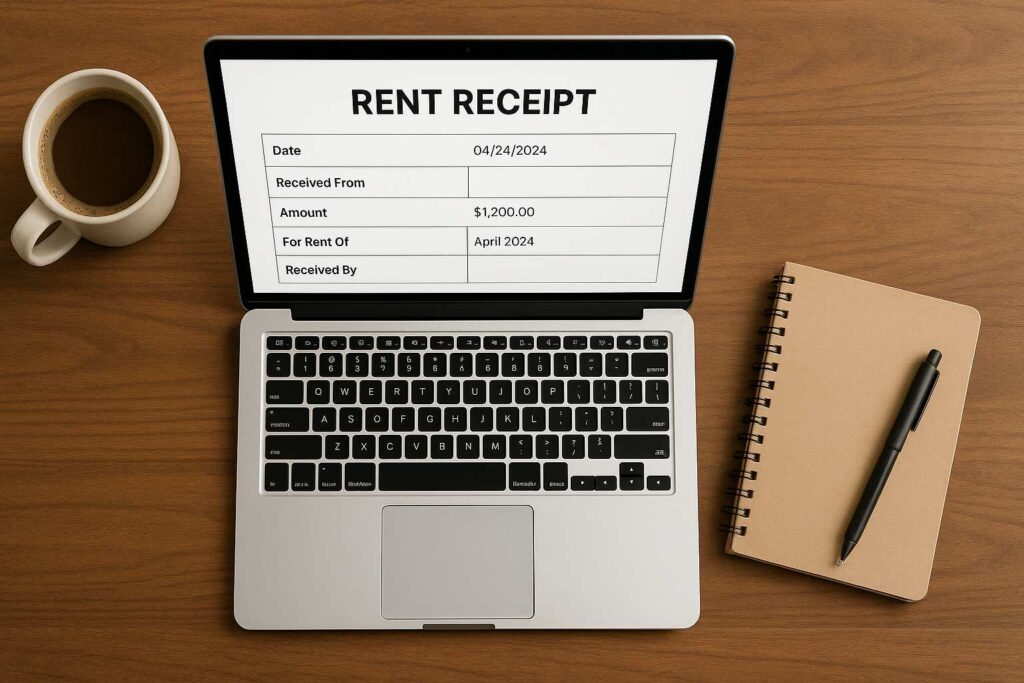
Ever needed a rent receipt urgently, only to find out the only one you had had a giant watermark across it? That happened to me last tax season. I was preparing my HRA documents and felt confident—until I opened my downloaded rent receipt and saw the watermark right in the middle. Embarrassing and unusable.
That moment made me hunt for a real solution, and I landed on a tool that lets me generate an online rent receipt without watermark—quickly, professionally, and without touching Word or Excel. No downloads. No installs. Just results.
In this post, I’m going to show you how this tool became a part of my monthly routine—and how you can benefit from it too.
🧾 What Is an Online Rent Receipt Without Watermark?
Let’s keep it simple.
An online rent receipt without watermark is a clean, printable rent receipt that you can generate instantly using a web-based tool—no watermarks, no logos, and absolutely no unnecessary branding on your final PDF.
This means you can use it for anything from HR submissions to income tax filings without worrying about your document looking “free” or amateurish. It’s especially handy for people like me who aren’t fans of wasting time downloading templates or tweaking Excel files.
The tool I use lives here: Rent Receipt Download Tool. It changed the way I manage my monthly rent documentation—honestly, I haven’t opened my old Word templates since.
My Journey From Clunky Templates to Seamless Online Receipts
Before I discovered this tool, my rent receipt process was… frustrating.
I used to rely on a saved Word template. Every month, I’d go in, change the dates, adjust the layout (because it always broke), save it, then convert it to PDF. It was like reliving a mini tax season every 30 days.
Then I stumbled upon the online rent receipt without watermark generator from SmallToolHub. It was like flipping a switch. In under a minute, I had a PDF that looked professional—ready to share with my HR team, tax consultant, or even my landlord.
The first time I used it, I remember thinking, “Why didn’t I find this sooner?”
🧠 Who Actually Needs This Tool?
Short answer: more people than you think.
Let me break it down by real-world roles—because we all use rent receipts differently:
Freelancers & Creatives – Claiming home-office rent for tax exemptions.
College Students – Submitting hostel or PG rent for government reimbursement.
Remote Workers – Constantly shifting accommodations and needing clean records.
Startup Founders – Documenting rented co-working spaces for accounting.
HR Employees – Helping employees submit error-free receipts.
Anyone with HRA – Submitting monthly or yearly rent proofs to employers.
In all these cases, the online rent receipt without watermark becomes more than a tool—it becomes a part of your financial routine.

🧾 How I Use It (Step-by-Step)
Using the tool is easier than ordering food online.
Here’s how I’ve built it into my workflow:
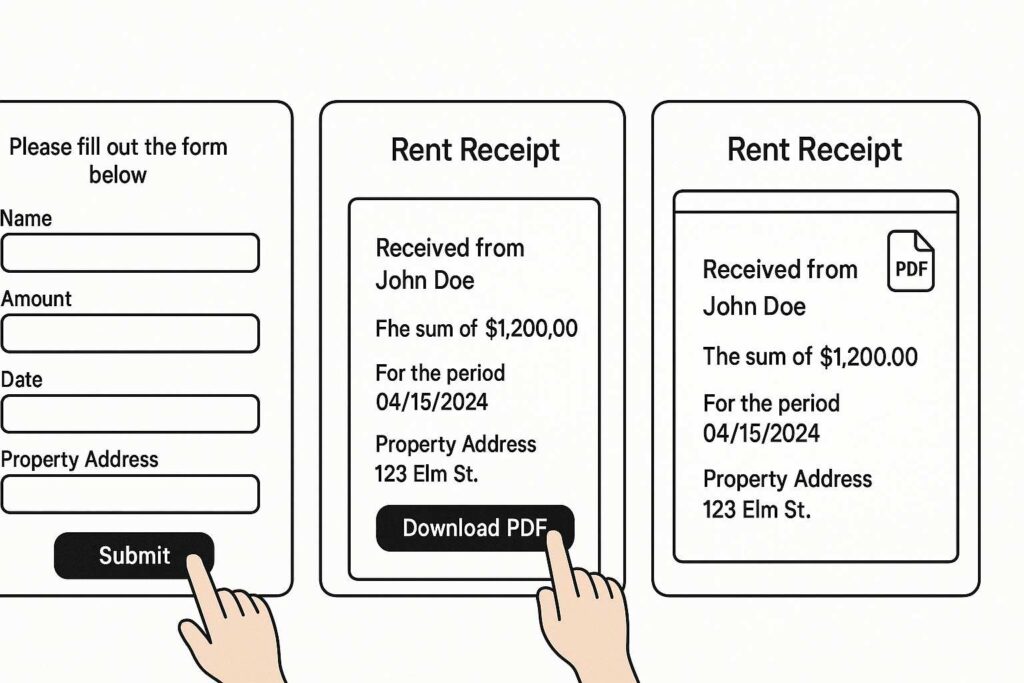
Visit the Tool: I go to this rent receipt generator.
Enter Basic Info: My name, landlord’s name, address, amount, and the period.
Preview It: The instant preview helps me check for typos.
Download as PDF: One click. Done. No watermark on the document.
Store in Drive: I save mine monthly in a rent folder on Google Drive.
Every receipt generated is 100% professional-looking, editable, and most importantly, created using an online rent receipt without watermark format.
📋 Why I Trust This Format Over Excel or Word
I’ll be honest—Excel was my go-to for a while. But here’s the problem:
Formatting always broke.
I kept forgetting formulas.
Mobile access? Forget it.
This tool fixed all of that. Now, I don’t need to wrestle with columns or spacing. It gives me a clean, professional rent receipt editable PDF every single time.
What’s more, it includes a blank space for a revenue stamp. That flexibility is exactly what I needed. And if you need a version with no stamp too? SmallToolHub’s got that too—check out this receipt without revenue stamp version.
💼 How It’s Made My Work-Life Easier
Time is money—especially when you’re juggling invoices, clients, and admin tasks. With this tool, generating an online rent receipt without watermark takes me under 60 seconds. No exaggeration.
Back when I did it manually, it used to take at least 20 minutes per receipt. Multiply that across 12 months and you’re looking at a full workday lost to formatting rent receipts. Who has time for that?
This tool gave me back my time—and made my documents actually look like they came from a professional.
📥 Why the Watermark-Free Part Matters
Let’s talk about the elephant in the room—watermarks.
You download a “free” rent receipt tool, and boom—there’s a semi-transparent logo right in the middle of the PDF. It makes your document look unofficial, even suspicious.
With an online rent receipt without watermark, you don’t have that problem. Your PDF looks clean. Period.
And for official submissions—like tax filing or HR compliance—that makes all the difference.
🔍 Let’s Compare: Traditional Methods vs. This Tool
| Feature | Excel/Word Templates | Online Tool |
|---|---|---|
| Watermark | Sometimes present | None at all |
| Usability | Desktop only | Mobile, tablet, PC |
| Time Required | 15–30 mins | Under 1 min |
| Formatting Errors | Very common | None |
| Revenue Stamp Option | Manual, no space | Blank space included |
| Preview Option | No | Yes |
| Professional Look | Needs tweaks | Ready to go |
If you’re like me—always optimizing for ease—then the online rent receipt without watermark tool just makes sense.
Rent Receipt Download PDF Without Watermark – What You Get
This tool isn’t just easy—it’s smart. Here’s what you can expect:
A clean, printable PDF with no branding or watermark.
Fully rent receipt editable fields—tenant name, rent amount, date, etc.
Automatic date formatting and a field for revenue stamp.
100% mobile-friendly, no downloads or installs needed.
Real-time preview before downloading.
I’ve even used this for my landlord who needed help issuing receipts for multiple tenants. If it works for both sides of the rent equation—that’s a win.
🌐 Try It Yourself
If you’re tired of receipts that look like templates or carry big watermarks, give this tool a shot. I use it every month, and it’s helped me file my taxes, submit HRA documents, and even help a few friends get their rent receipts sorted.
👉 Try it now: Rent Receipt PDF Tool
Trust me—once you go online rent receipt without watermark, you won’t go back.
🙋 FAQs – Answered From Experience
1. How do I generate a rent receipt online without a watermark?
It’s super easy. Just go to this tool, fill out the form with your rent details, preview it, and click download. The final PDF has no watermark and is ready to submit anywhere.
2. Is the rent receipt editable?
Yes. You can enter all details before downloading, and the PDF itself is formatted cleanly. For minor changes later, you can also edit it using any standard PDF editor. That’s why it’s called a rent receipt editable tool—it’s flexible.
3. What does watermark mean?
A watermark is a faint text or image in the background of a document, often used to show copyright or branding. You can read more about it on Wikipedia here if you’re curious.
4. Can I use this for my HRA submission?
Yes, and I do it every year. The online rent receipt without watermark format is ideal for HRA since it looks official, includes all necessary fields, and has a blank stamp space.
5. Can landlords use this tool too?
Absolutely. Landlords can fill in tenant details, generate monthly receipts, and provide them via email or WhatsApp. It’s way more efficient than typing them out in Word every month.
6. Does it work on mobile?
Yes, and that’s one of my favorite features. I’ve generated receipts on the go—while commuting, even from my phone at a coffee shop. The responsive design makes the online rent receipt without watermark tool super convenient.
7. Can I generate receipts for past months?
Yes, you can enter any custom date range—whether you’re generating for last month or the entire year. It’s perfect for catching up on your HRA records.

